Design Adjustments
The Design tab of the form editor lets you style your form without writing CSS. Pick a preset as the base, then fine-tune only what you need while watching the live preview.
Design Presets
Start by choosing one of four base designs.
| Preset | Characteristics |
|---|---|
| Default | Outputs no plugin CSS — your theme's styles apply as-is |
| Simple 1 | Standard vertical layout with inputs below their labels |
| Simple 2 | Two-column layout with labels and inputs side by side |
| Normal | Richer styling with background colors and separators |
You can also download each preset's CSS to use as a foundation for your own override CSS.
Design Adjustments (with Live Preview)
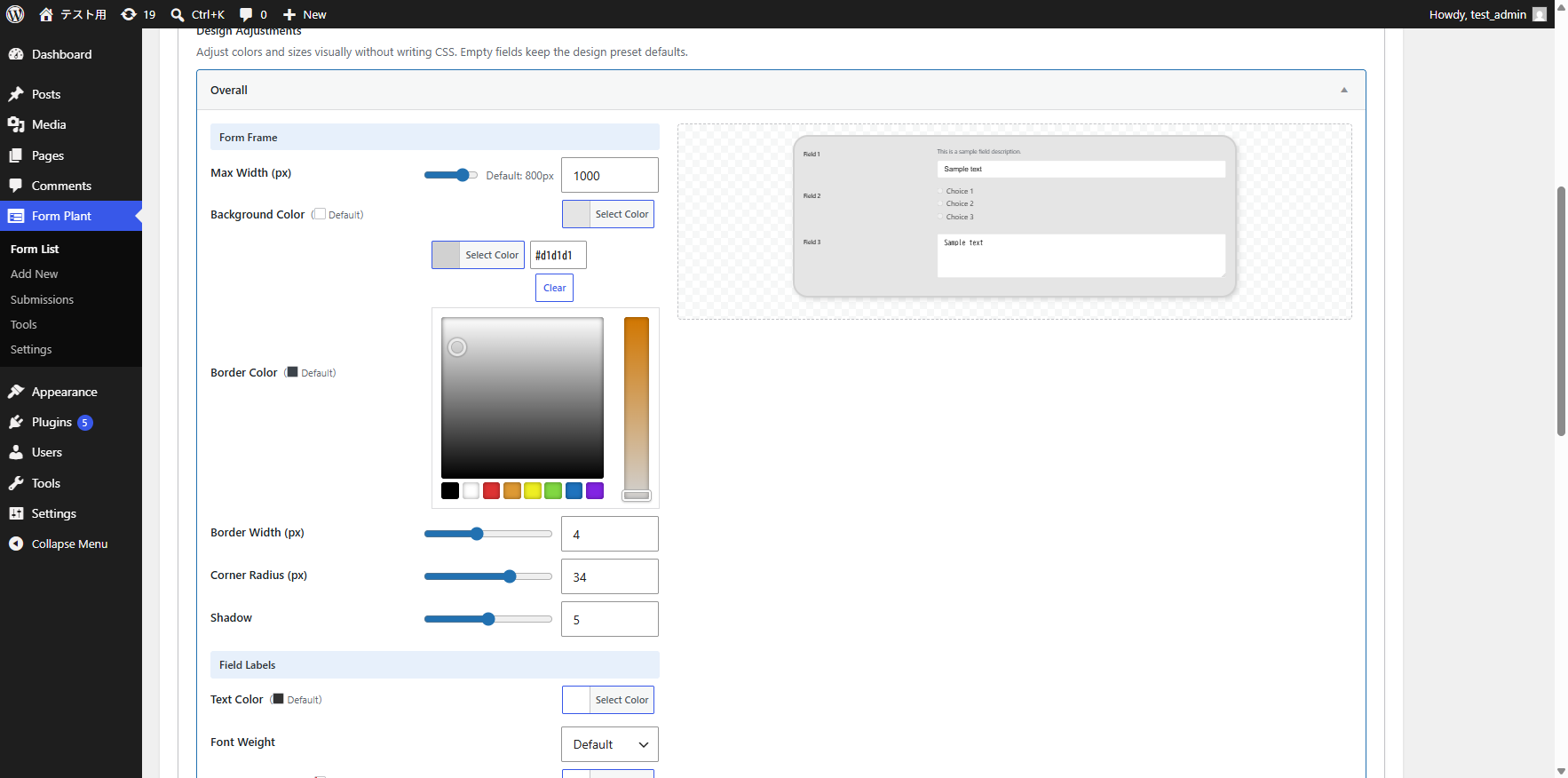
On top of the preset, the Design Adjustments panel lets you tweak colors, sizes, and spacing individually. Settings are grouped into accordion sections; changes on the left are reflected instantly in the preview on the right.
| Section | Adjustable items |
|---|---|
| Overall | Form frame (max width, background, border, corner radius, shadow), field labels (text color, weight, background, font size), field descriptions (text color, font size) |
| Input Fields | Text color, background, font size, border color, focus / error border colors, placeholder color |
| Submit / Confirm Button | Text color, background, hover colors, corner radius, shadow, font size, padding, width |
| Confirmation Screen: Back / Submit Buttons | Same as the submit button (shown only when the confirmation screen is enabled) |
| Error Messages | Text color, background |
Tips:
- Numeric values are adjusted with sliders
- Empty = unset — the preset default applies. Use the color clear button or Reset to revert a whole section
- Each section has its own Save button for partial saves (no need to update the whole form)
The text color and font size of field descriptions (helper text below the label, above the input, and below the input) are adjusted in the Overall section.
Custom CSS
When the adjustments aren't enough, custom CSS gives you full control.
- Custom CSS files — Upload up to 10 files per form
- Inline CSS — Write CSS directly in the built-in editor
- Base CSS download — Download the current preset's CSS as a starting point
Required Mark
Change the default * to any text, such as "Required" or "※".
Need More Control?
To restructure the layout itself, use an HTML Template.